From the main window to the settings window and vice versa.
It would be great if there were an icon at the top of the main window that let you open the settings, and vice versa. Or you could integrate the settings into the main window and switch between them with just one click.
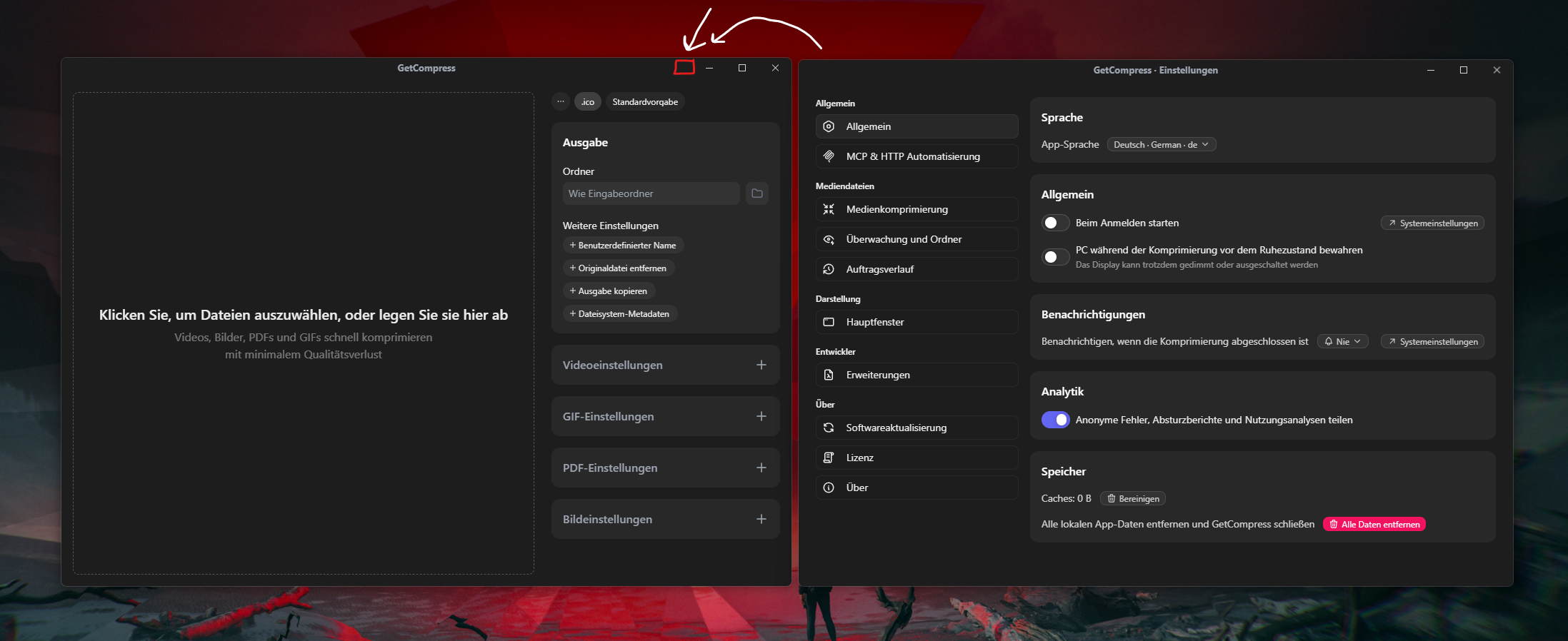
So, when you click on the icon, the settings appear on the front screen and the main window remains in the background. Clicking the same icon again hides the settings, but the main window is still there.
Keep up the good work. 👍
Comments2
Aug 31
PinnedDone and live in version 1.0.7, available to update to or download from the website!
The new button is added to the main window, however it only opens the settings window and doesn’t close it.
Please note that Windows might warn about the newly downloaded version, but it’s related to Windows checks that respect only those files that were downloaded many times, which can take time for GetCompress.
Apologies that it took longer than expected!
Petr Samokhin
Jun 18
Thanks a lot for sharing your feedback!
Agree, this sounds important, as currently you can only open settings by clicking on the tray menu icon, which might be less intuitive.
Will add soon!